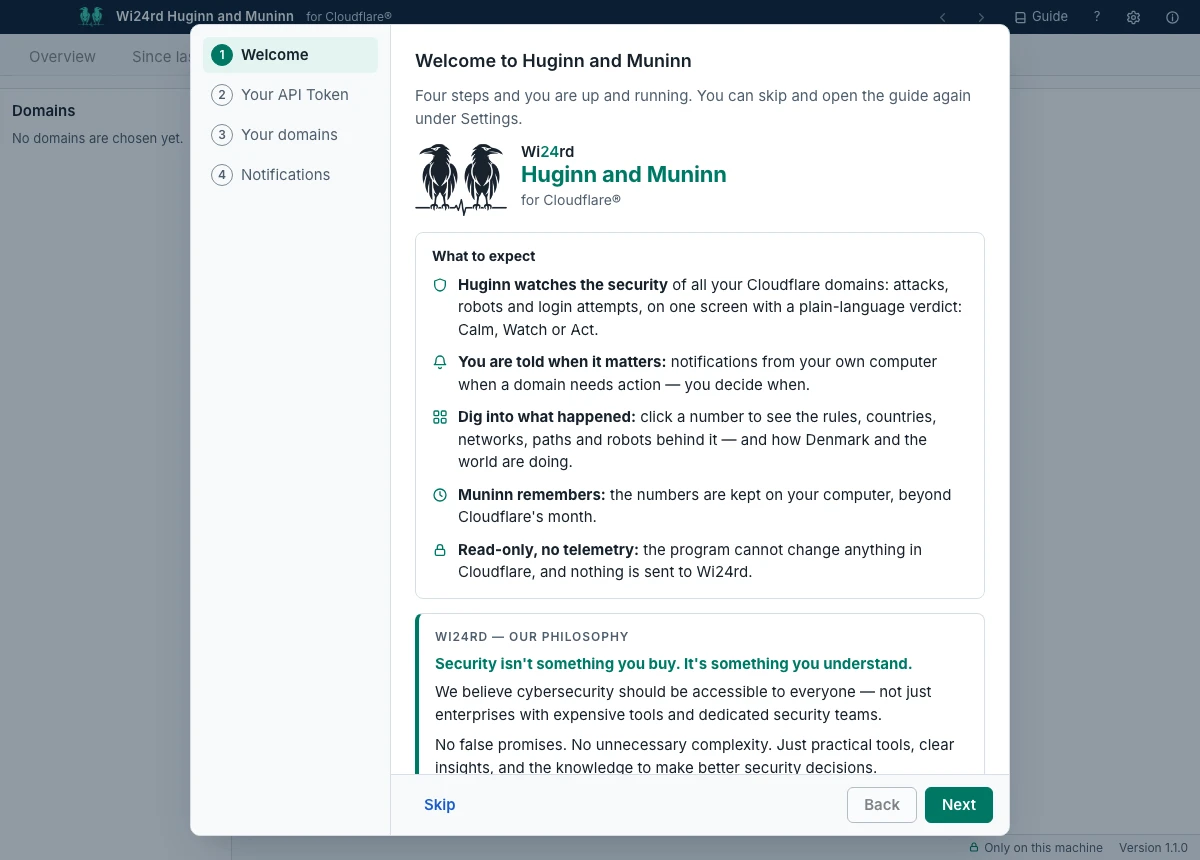
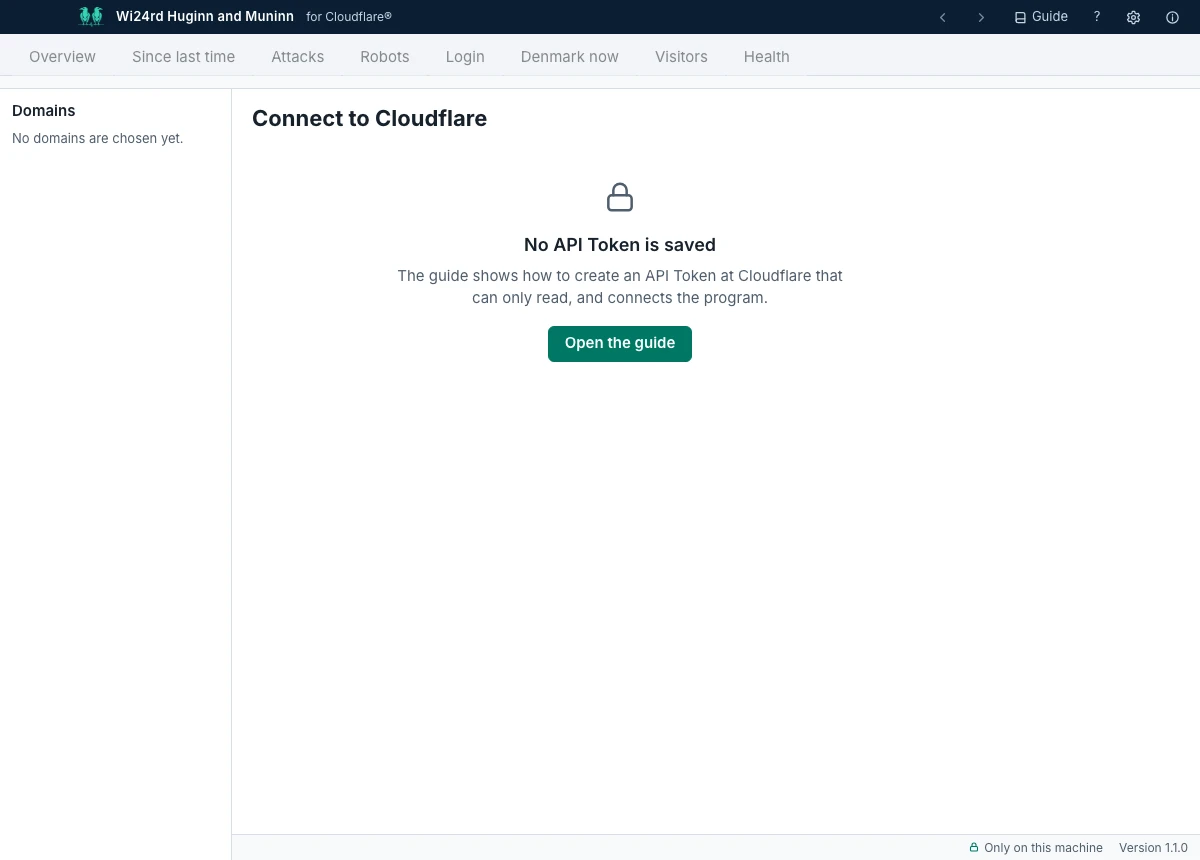
As long as no API Token is saved, the tabs cannot be used. The first time, the guide opens by itself; if it has been skipped, the window shows the page Connect to Cloudflare with the text "No API Token is saved" and the button Open the guide.
The guide has four steps:
- Welcome: the name, What to expect with five lines on what the program does, and Wi24rd — our philosophy.
- Your API Token: the button Create API Token at Cloudflare, which opens Cloudflare's page with the name and the two permissions filled in; How to create an API Token with the steps, folded; the field API Token (read only) and the button Save and connect. Next is only available once the API Token is saved and works.
- Your domains: one switch per domain.
- Notifications: your first choice of when you want to be told, and Start at login.
Skip closes the guide. Show the guide again under Settings › First start opens it again, also when you have connected.
The whole guide to setup is in Setup.