
Software / Wi24rd FTP
Wi24rd FTP
Simple, temporary file sharing on Windows.
Drag files in → Start → hand the recipient address, username and one-time password → Stop. Done.
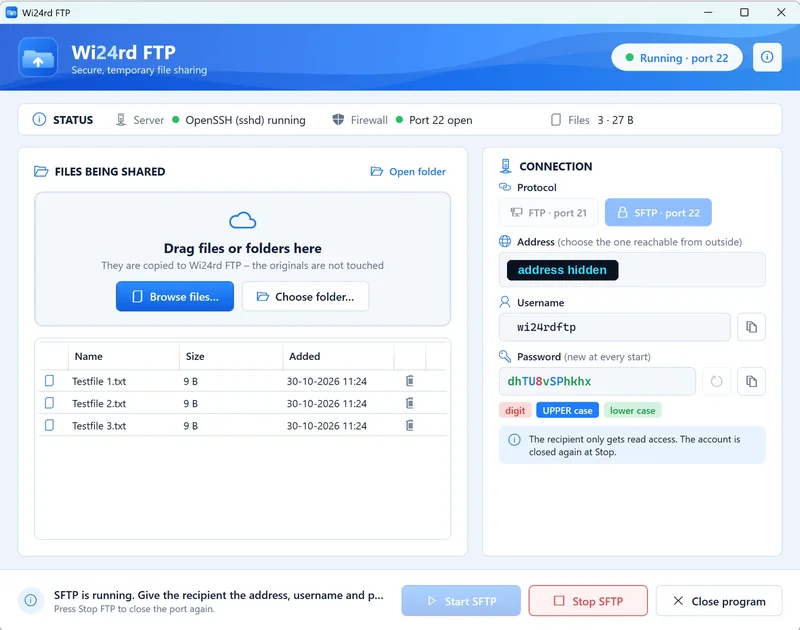
The application
You already have the server.
Wi24rd FTP sits on top of Windows 10/11’s built-in IIS FTP server and OpenSSH. You don’t install a server – you already have one.
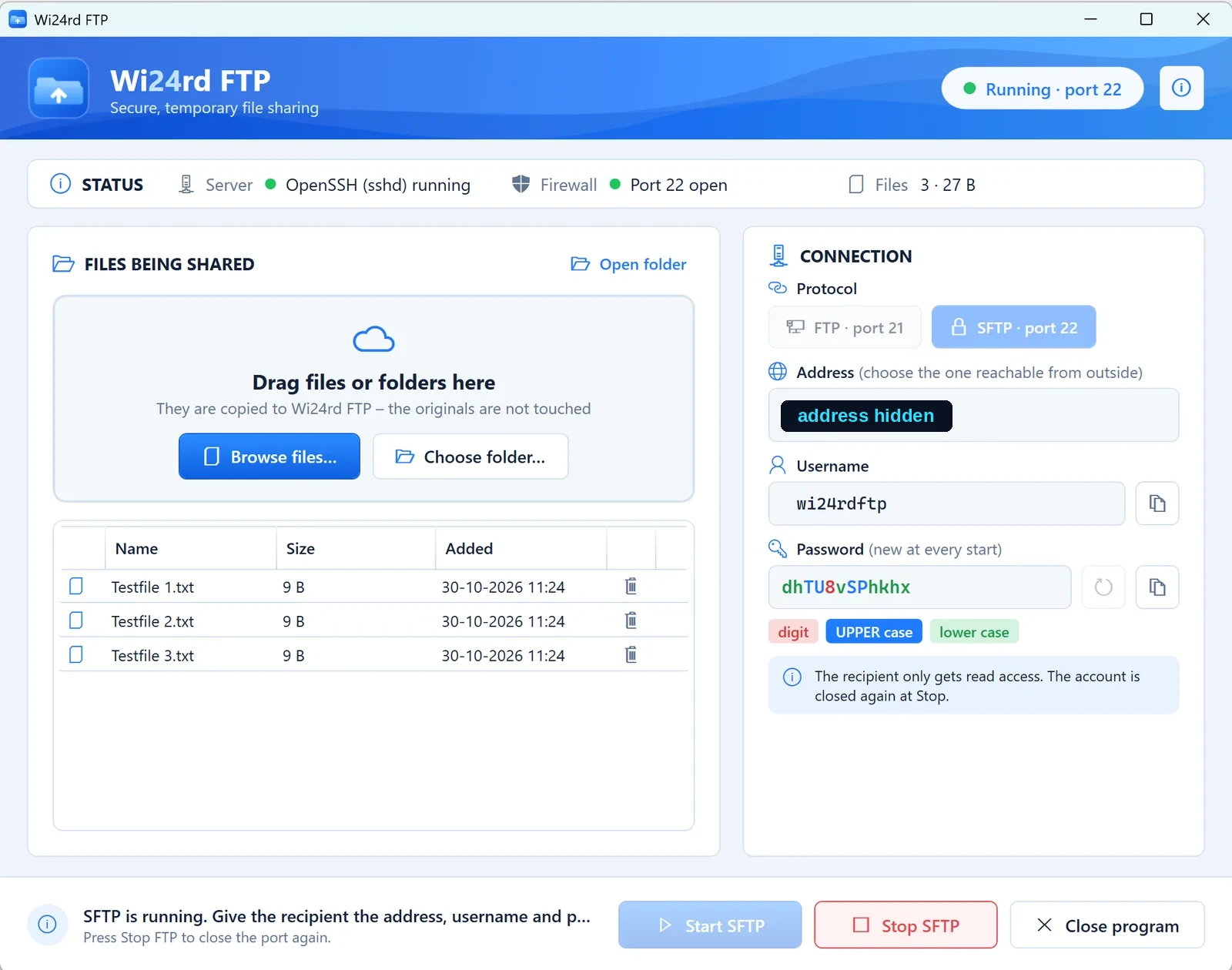
Choose your files
Drag files or folders into Wi24rd FTP. They are copied to C:\Wi24rdFTP\Share – your originals stay safe.
Share the connection
Give the address, username and the one-time password the program makes at every Start to the people you want to share with.
Start. Share. Stop.
Start the server, share the details, and stop when you’re done. The account is closed, the firewall is closed, and you are asked whether to delete the files.
When is it useful?
When a file is too big for email.
- Send 4 GB of photos to a client without uploading them to a cloud.
- Give a colleague a folder of log files for an hour – then close it again.
- Move large files between two machines on the same network without a USB stick.
When not to use it
- For permanent file sharing or backup – it is built to be switched off again.
- For sensitive data over FTP – use SFTP.
- If you cannot manage your router or firewall – outside access needs a port forward.
Free and open source (MIT)
No account, no ads, no tracking.
- Free and open source (MIT)
- No ads, no account, no registration
- No tracking or telemetry – the only connection the program makes itself is one anonymous request to GitHub at startup to check for a newer version
- Everything runs locally on your own PC – your files never pass through a third party
- The recipient gets read-only access; the password only lives from Start to Stop
How it works
| Button | What happens |
|---|---|
| Start FTP / SFTP | New one-time password for the wi24rdftp account · account enabled · ftpsvc (or sshd) started · firewall rule for port 21 (+ passive 50000–50100) or port 22 enabled · address and password shown |
| Stop FTP / SFTP | Firewall rules disabled · service stopped · account disabled and given a new, unknown password · you are asked: delete the files or keep them? |
| Close program | Runs the Stop routine (if anything is running) → asks about the files → closes |
Everything that needs admin rights (services, firewall, account, IIS features) lives in one PowerShell script, which the program runs elevated with a UAC prompt. The window itself runs without admin rights – on purpose, so you can drag files in from Explorer.
Security
What to know before you share.
FTP is unencrypted – password and files travel in clear text. Use SFTP whenever the recipient can (most clients can: FileZilla, WinSCP, sftp). SFTP mode installs OpenSSH Server (a Windows capability; needs internet the first time).
Access from the outside still requires a port forward on your router or firewall to the machine’s IP – the program cannot do that for you. The passive FTP port range is 50000–50100 and may need to be opened on the router as well.
The installer is not code-signed yet, so SmartScreen may show “Windows protected your PC” the first time. Verify the file against SHA256SUMS.txt on the release page first – then you know it is exactly the file that was built in public:
certutil -hashfile Wi24rdFTP-Setup.exe SHA256If the numbers match, choose More info → Run anyway. The whole build runs in GitHub Actions, so the log is public for every release.
Requirements
Windows 10/11, 64-bit. No .NET installation required. The installer enables the needed Windows features (IIS FTP Server) and creates the FTP site, the (disabled) firewall rules, the folders and the (disabled) account.
Built with ASEWAVE
Developed with ASEWAVE, Wi24rd’s development method.
Every phase is investigated, implemented and independently verified. From first commit to v1.0.0 took 6½ hours – and every commit is public in the repository.
The portfolio
More from Wi24rd.

tingsvad.dk
An open demonstration of 40+ Cloudflare features, wrapped in a fictional Viking-age story. The engine behind this site.
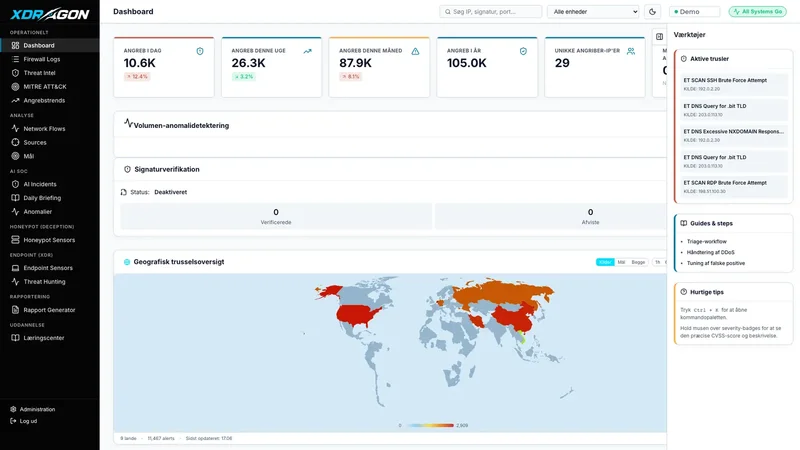
XDRagon Monitor
Open-source security monitoring (XDR) for small and mid-sized businesses without a security team. The AI explains what it saw – with the evidence behind it.

Try Wi24rd FTP.
Free, open source and no account. Download the installer, or read the code first.