Security tip 5 · Cloudflare Access
Lock the admin area.
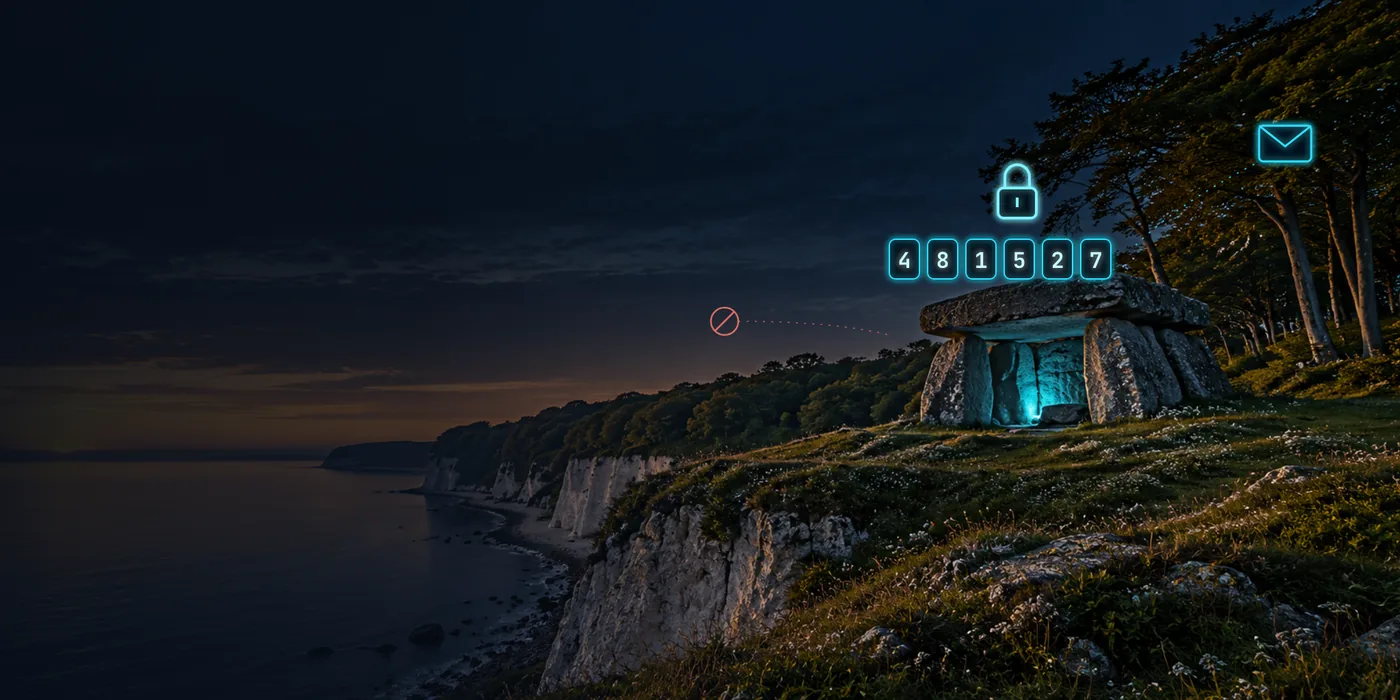
Login pages are the robots’ favourite target. With Cloudflare Access, the page does not even exist for anyone but you: people must first prove who they are with a one-time code by email. Free for up to 50 users.
Last checked 1 November 2026
- Time
- ~20 min
- Price
- Free up to 50 users
- Login
- One-time code by email
- Needs
- Domain behind Cloudflare tip 3
Why
A login page that does not exist cannot be attacked.
WordPress’s /wp-admin, the webmail, the NAS, the router’s control panel: every login page is tried by robots around the clock with leaked passwords and known holes in the login software itself. A good password helps against the first – not against the second.
With Cloudflare Access, the request never reaches the page until the person has proven who they are. For the robots there is nothing to attack – only Cloudflare’s own login page.
- Someone knocks/admin
- Cloudflare askswho are you?
- Code by emailonly to your list
- The door opensfor you – nobody else
Step by step · Cloudflare
Six steps, about 20 minutes.
Open Zero Trust
Log in to dash.cloudflare.com and choose Zero Trust in the menu – or open the domain, choose Access and press Go to Access. The first time, you choose a team name and the Free plan.
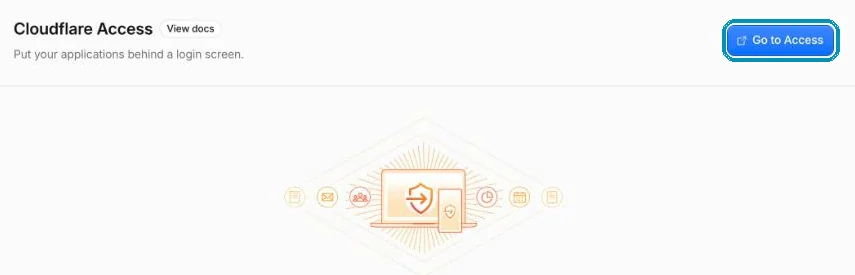
From the domain: Access → Go to Access takes you into Zero Trust. Screenshot from wi24rd.com’s Cloudflare account, November 2026. Check the login method
One-time PIN is on by default: Cloudflare sends a code by email. If you would rather log in with Google, Microsoft or GitHub, add them as login methods in Zero Trust – and each application has its own Login methods tab.
Add an application
Go to Zero Trust → Access controls → Applications, press Create new application and choose Self-hosted.
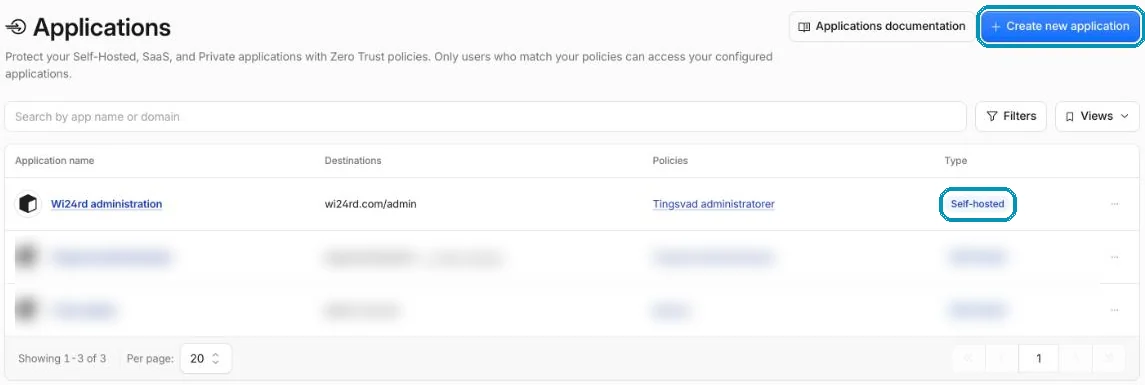
The applications in Zero Trust. Other domains’ applications are blurred. Screenshot from wi24rd.com’s Cloudflare account, November 2026. Point it at the admin area
Give it a name and enter the domain and the path to lock – e.g.
yourdomain.comwith the pathwp-admin, or a whole subdomain likeadmin.yourdomain.com. Choose how long a login should last, e.g. 24 hours.
On wi24rd.com, the application locks the path /admin. Screenshot from wi24rd.com’s Cloudflare account, November 2026. Create the rule
Create a policy with the action Allow, and under Include choose Emails and enter your addresses. Prefer single addresses over the whole domain, so a new account on your mail does not get access automatically.

The rule behind wi24rd.com: only two addresses (blurred), and a GitHub login is required. Screenshot from wi24rd.com’s Cloudflare account, November 2026. Try it in a private window
Open the admin area in a private browser window. Cloudflare’s login page should now appear. Enter your address and type the six-digit code from the email. Also try with an address that is not on the list – it should not get in.
Pitfalls
Three things that can trip you up.
WordPress uses the admin path from the front page
Some plugins call
/wp-admin/admin-ajax.phpwhen ordinary visitors use the site. If you lock all ofwp-admin, check afterwards that forms and the like still work. Otherwise lockwp-login.phpon its own.Do not lock yourself out
Put at least two people on the list, and check that the email with the code does not end up in spam.
The back door applies here too
If the server can be reached directly around Cloudflare, so can Access. Close the back door as described in tip 3. If you are technical, the server can also check the signed
Cf-Access-Jwt-Assertionheader that Cloudflare sends along.
On wi24rd.com
The door holds.
The admin area on wi24rd.com sits behind Cloudflare Access, and the rule also requires a GitHub login (Require → Login Method), so an email code alone is not enough. The door in the machine room shows live how many have knocked and how many got in. You can see the same at the bottom of Right now.
Without Cloudflare, you can get some of the same by limiting the login page to known IP addresses or putting it behind a VPN.
About this tip
The steps were checked in Cloudflare’s dashboard and documentation on 1 November 2026. Cloudflare regularly moves the Zero Trust menus around – if a button is somewhere else, search for its name in the dashboard.
The man behind Wi24rd has used Cloudflare himself since he saw them at Black Hat in London in 2015. Wi24rd has no financial interest in Cloudflare – no money, discounts or services.

Missing a tip?
Write what you would like explained. The next security tip could be yours.